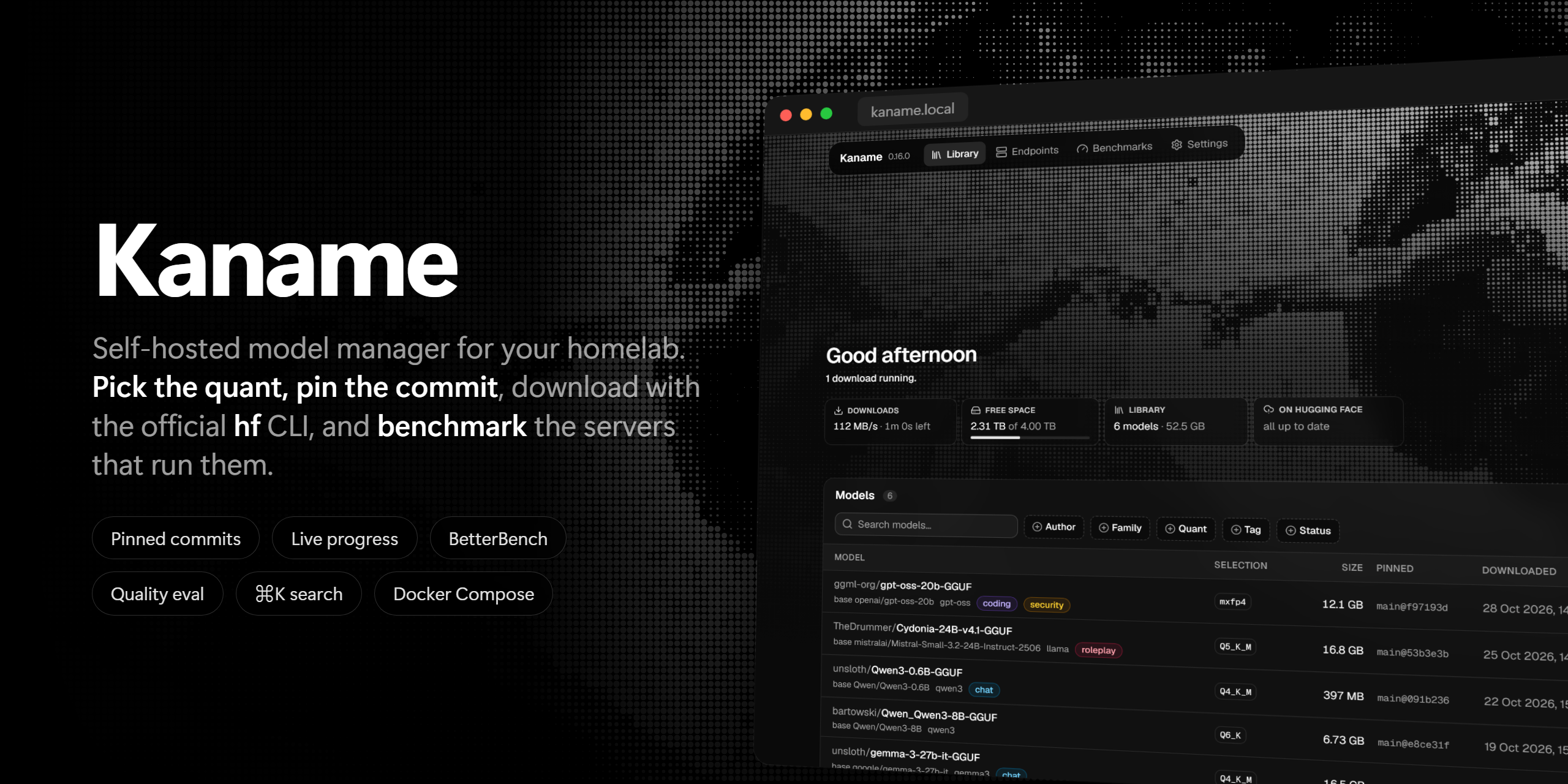
**Kaname** (要, "the pivot") is a self-hosted web app for downloading local LLMs from Hugging Face
and benchmarking the servers that run them. Look up a repo, pick the quant you want, and Kaname
downloads exactly those files with the official `hf` CLI, pinned to a specific commit so every
download is reproducible. Point it at your llama.cpp, vLLM, SGLang or Ollama servers and it measures
their speed and answer quality with [BetterBench](https://github.com/GGZ14/BetterBench).
- **Pick files, not whole repos:** one-click quant selection for GGUF repos, or include/exclude globs.
- **Pinned and reproducible:** every model is pinned to the exact commit SHA you reviewed.
- **Downloads in the background:** live progress, speed and ETA per file; keeps going when you close
the browser; cancel any time.
- **Find things again:** search and filter by author, model family (e.g. Qwen, Gemma), quant, status
and your own tags like `roleplay` or `security`.
- **Benchmark your endpoints:** speed runs, paired A/B tests and a quality eval against any
OpenAI-compatible server, with the hardware you describe recorded next to every number; publish
results to [launch80](https://launch80.com) if you like.
- **Homelab-friendly:** a few containers, SQLite, OIDC single sign-on (e.g. Pocket ID), models on any
folder or NAS share. Kaname needs no access to Docker.
## Install
You need a Linux server with Docker and Compose, and an OIDC provider for the login (e.g.
[Pocket ID](https://pocket-id.org), Authelia, Authentik, Keycloak).
**1. Get the compose file and the config template**
```bash
mkdir kaname && cd kaname
curl -fsSLo compose.yaml https://git.linxweiler.xyz/pascallinxweiler/Kaname/raw/branch/main/deploy/compose.yaml
curl -fsSLo .env https://git.linxweiler.xyz/pascallinxweiler/Kaname/raw/branch/main/.env.example
```
**2. Create an OIDC client** in your identity provider with the redirect URI
`/api/auth/callback/pocket-id`, e.g. `http://192.168.1.10:3000/api/auth/callback/pocket-id`
(the path says `pocket-id` whatever provider you use). Request the `groups` scope if you want to
restrict access by group.
**3. Fill in `.env`:** `AUTH_URL` (the address you open in the browser), `OIDC_ISSUER`,
`OIDC_CLIENT_ID`, `OIDC_CLIENT_SECRET`, and ideally a read-only `HF_TOKEN`. Everything else has
defaults. Models go to `./models` and the database to `./data` next to the compose file; point
`KANAME_MODELS_DIR` at another folder (e.g. a NAS share mounted on the host) if you like.
**4. Start**
```bash
docker compose up -d
```
Open your `AUTH_URL`, sign in, click **Add model**. That's it.
Kaname creates and takes over `./data` itself, and an empty models folder too. It runs as uid/gid
1000 by default; if your models folder already holds files that belong to another user (common for
NAS shares), set `PUID`/`PGID` in `.env` to that owner (`ls -ln /path/to/models`). Kaname never
changes the ownership of a models folder that has files in it.
**Updating:** `docker compose pull && docker compose up -d`. To stay on a version, set e.g.
`KANAME_VERSION=0.16.0` in `.env`. The running version is shown next to the app name. Read the
[changelog](CHANGELOG.md) before jumping minor versions: it says when the compose file changed.
### The image
`git.linxweiler.xyz/pascallinxweiler/kaname` is public: no account or `docker login` needed.
| Tag | What it is |
| --- | --- |
| `latest` | the newest release |
| `0.16` | the newest 0.16.x release |
| `0.16.0` | exactly that release |
It is built for x86-64 (`linux/amd64`). One image serves all three services (`web`, `worker`,
`sandbox`); the compose file picks the role. To build it yourself (e.g. for ARM) from this
repository:
```bash
git clone https://git.linxweiler.xyz/pascallinxweiler/Kaname.git && cd Kaname
docker build -t kaname:mine --build-arg APP_VERSION=$(git describe --tags) .
```
and set `KANAME_IMAGE=kaname` and `KANAME_VERSION=mine` in `.env`.
## Configuration
All settings live in `.env`; [`.env.example`](.env.example) explains each one. The
**[configuration reference in the wiki](https://git.linxweiler.xyz/pascallinxweiler/Kaname/wiki/Configuration)**
lists every option with defaults and examples (folders, ports, user, download tuning, OIDC groups,
which Hugging Face token to use). Settings that change while Kaname runs (download speed limit,
which files are picked with a quant, file labels, tags, how often the models folder is scanned) are
in the web UI under Settings.
Models end up in `///`, e.g. `models/unsloth/Qwen3-8B-GGUF/`.
More guides are in the [wiki](https://git.linxweiler.xyz/pascallinxweiler/Kaname/wiki).
## Using it
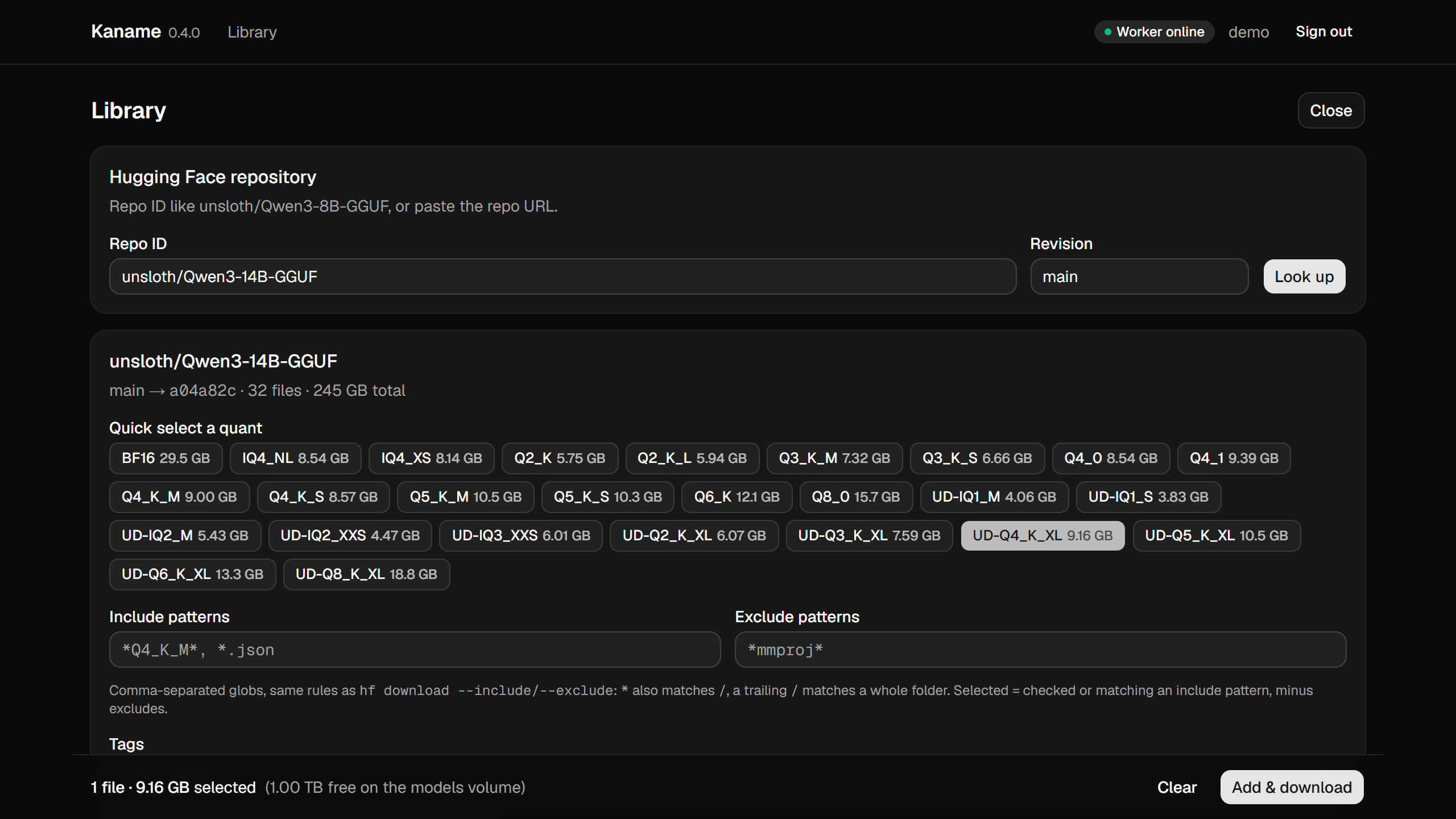
- **Add model:** enter a repo ID like `unsloth/Qwen3-8B-GGUF` (or paste the URL), click a quant, and
**Add & download**. Files that belong with the quant (chat template, MTP head, vision projector)
are selected along with it; choose which kinds in Settings → Downloads. You can add tags right there.
- **Search:** type anything: `unsloth qwen`, `q4_k_m`, `gemma`, `roleplay`. Every word has to match
somewhere (repo, author, base model family, architecture, quant, tags).
- **Search everything:** ⌘K / Ctrl+K (or **Search** in the menu) jumps to any model, endpoint,
benchmark run, tag or settings page, and runs actions like Add model or switching the theme.
- **Filter:** combine Author, Family, Quant, Tag and Status filters. The URL keeps the filters, so
you can bookmark a view.
- **Tags:** add or remove your own tags on a model's page; click a tag in the list to filter by it.
Create, rename and color them in Settings.
- **Import:** models you already have in the models folder (as `/`) show up under
"Found in the models folder"; **Import** matches them with the Hub repo and verifies the files
instead of downloading them again. See the
[wiki](https://git.linxweiler.xyz/pascallinxweiler/Kaname/wiki/Importing-existing-models).
Kaname looks for such folders every 2 minutes by default; in Settings → Downloads you can make
that hourly, daily, weekly or monthly at a time you pick, or manual only (**Scan now**), e.g. so
NAS disks can sleep.
- **Download more / remove files:** on a model's Files tab, **Download more** adds files of the repo
(another quant, the vision projector, …); the trash icon next to a downloaded file deletes it from
disk and takes it out of the selection, the rest of the model stays.
- **Verify / repair:** Verify checks every file's presence and size, Deep verify hashes them against
the Hub; Repair downloads only what's missing or broken.
- **Updates:** Kaname checks the Hub regularly and shows which of your files a newer commit changes;
updating is always your click. If a repo (or its pinned commit) disappears from Hugging Face, the
model is flagged and your local copy is kept.
- **Delete:** removes the model and, if you want, its files from disk (files that aren't part of
the repo are kept).
- **Jobs:** each download has a page with per-file progress and the full `hf` log.
- **Endpoints:** add the URL (and API key, if any) of an OpenAI-compatible server under Endpoints.
**Test connection** shows the models it serves and, where it tells, the engine, version and context.
Describe the machine behind it (GPUs, PCIe link, CPU, RAM, OS, engine build, quant, KV cache):
Kaname can't see it, and these notes go into every run so results stay comparable. The API key
stays on the server.
- **Benchmarks:** from an endpoint's page, start a BetterBench **speed** run (generation, prompt
processing, parallel requests), a paired **A/B** against another endpoint serving the same model,
or the **quality** eval (tool calling, coding, long-context retrieval; deterministic). Runs go one
at a time. Select runs on the Benchmarks page to compare them; publish a run to launch80 after a
preview and an explicit confirmation (needs `L80_TOKEN`). No host names or addresses are published.
## How it works
Three containers from the same image; web and worker share one SQLite database:
- **web:** Next.js UI and API, OIDC login (Auth.js); live updates by polling once a second from
the visible tab (paused in background tabs, so any number of tabs can stay open).
- **worker:** runs the download queue, spawns `hf download --revision --include `, and
measures progress from bytes on disk; runs benchmarks against endpoints (BetterBench, the quality
eval). Only one worker runs at a time.
- **sandbox:** runs the quality eval's coding answers (Python written by the model under test) with
no network, a read-only filesystem, no capabilities, small limits and an unprivileged user. It
shares only an exchange folder with the worker and gets no settings or secrets. Optional: without
it the eval skips the coding section.
Notes on the `hf` CLI (huggingface_hub 2.1.1, pinned in the image):
- Interrupted files are **not resumed**: a re-run skips finished files and restarts unfinished ones.
Kaname cleans up the leftover partial files.
- With Xet transfers the partial file only grows in large bursts, so Kaname disables Xet by default
to show accurate progress. Files over 50 GB can only be downloaded with Xet, so a download that
includes one uses Xet anyway; its progress then comes from `hf`'s own byte counter (the file on
disk can sit still for minutes while Xet holds the data in memory).
- `hf` exits successfully even if nothing matched, so Kaname checks every file's size and hash
metadata after each download.
- Files that already exist in the target folder without hf's metadata (copied in by hand) are
hashed and kept if they match, and downloaded again if not. Imports rely on this.
## Development
```bash
npm install
cp .env.example .env # plus DATABASE_URL=file:./data/app.db and MODELS_DIR=./data/models
npm run dev # web on http://localhost:3000 + worker
```
The worker needs `hf` on `PATH` (`pip install "huggingface_hub[hf_xet]==2.1.1"`). Without it,
everything but downloading works. `docker compose up --build` (root `compose.yaml`) builds and runs
the image locally.
| Script | What it does |
| --- | --- |
| `npm run dev:web` / `npm run dev:worker` | run one side only |
| `npm test` | unit tests |
| `npm run typecheck`, `npm run lint` | checks |
| `npm run db:generate` | new migration after changing `src/lib/db/schema.ts` |
| `npm run build:worker` | bundle worker, sandbox and migrate script into `dist/` (used by the image) |
**Releases:** bump `version` in `package.json`, add a `## [X.Y.Z]` section to
[`CHANGELOG.md`](CHANGELOG.md), commit and push a `vX.Y.Z` tag. Gitea Actions
([`.gitea/workflows/release.yaml`](.gitea/workflows/release.yaml)) runs the checks, pushes
`git.linxweiler.xyz/pascallinxweiler/kaname:X.Y.Z` (+ `X.Y`, `latest`) and creates the release.
It needs an `act_runner` with Docker access and a `REGISTRY_TOKEN` repo secret (package read/write).